

Territory cards
Organise card numbers, areas, street lists and physical card status.
A clearer way to manage territory cards, assignments and history. With your records stored on your own computer or Home Assistant — and no required LTM cloud account.
No account or installation for the demo. Fictional data only.
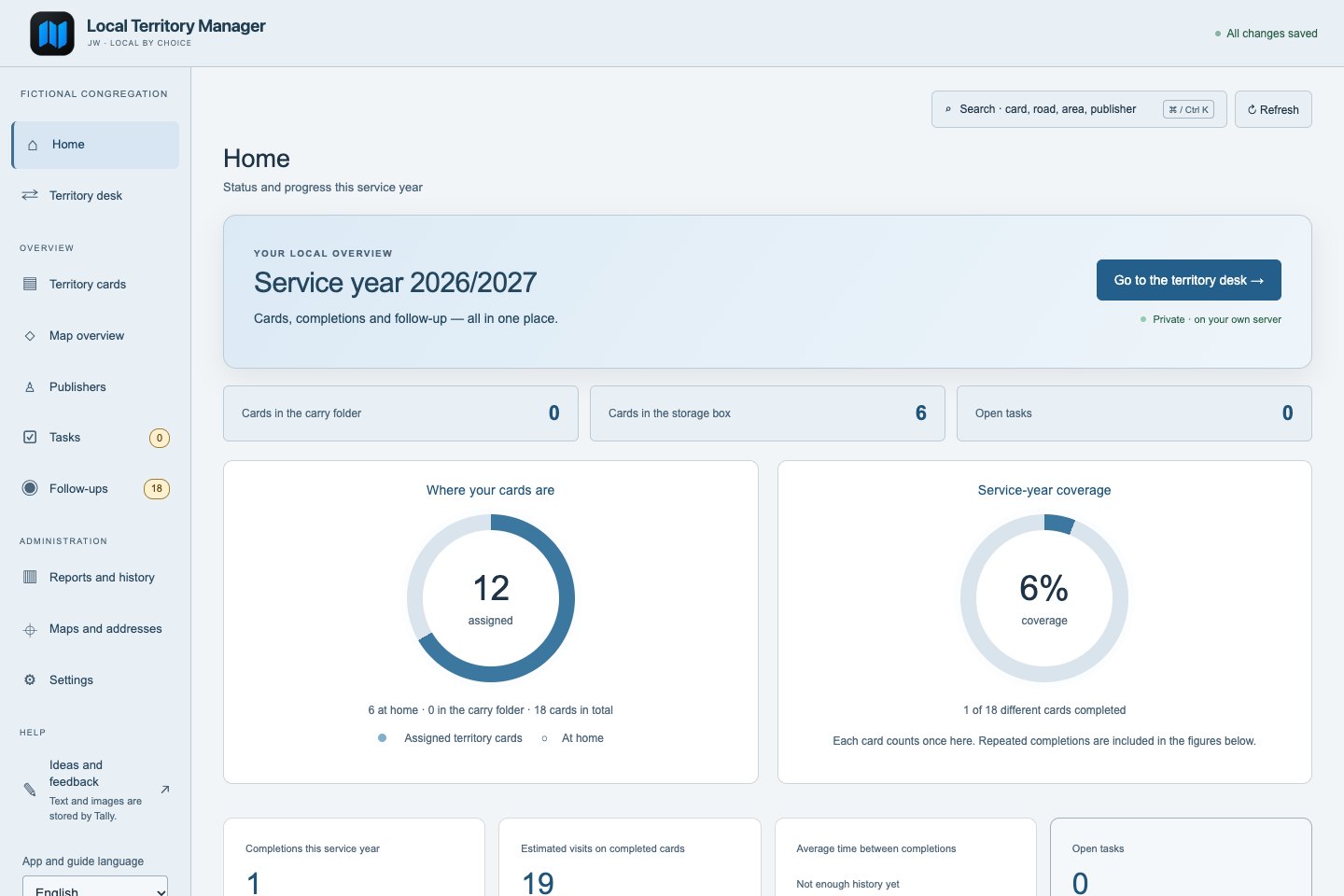
Keep the familiar rhythm of physical territory cards. Add the overview, history and practical tools that make the day-to-day work easier.
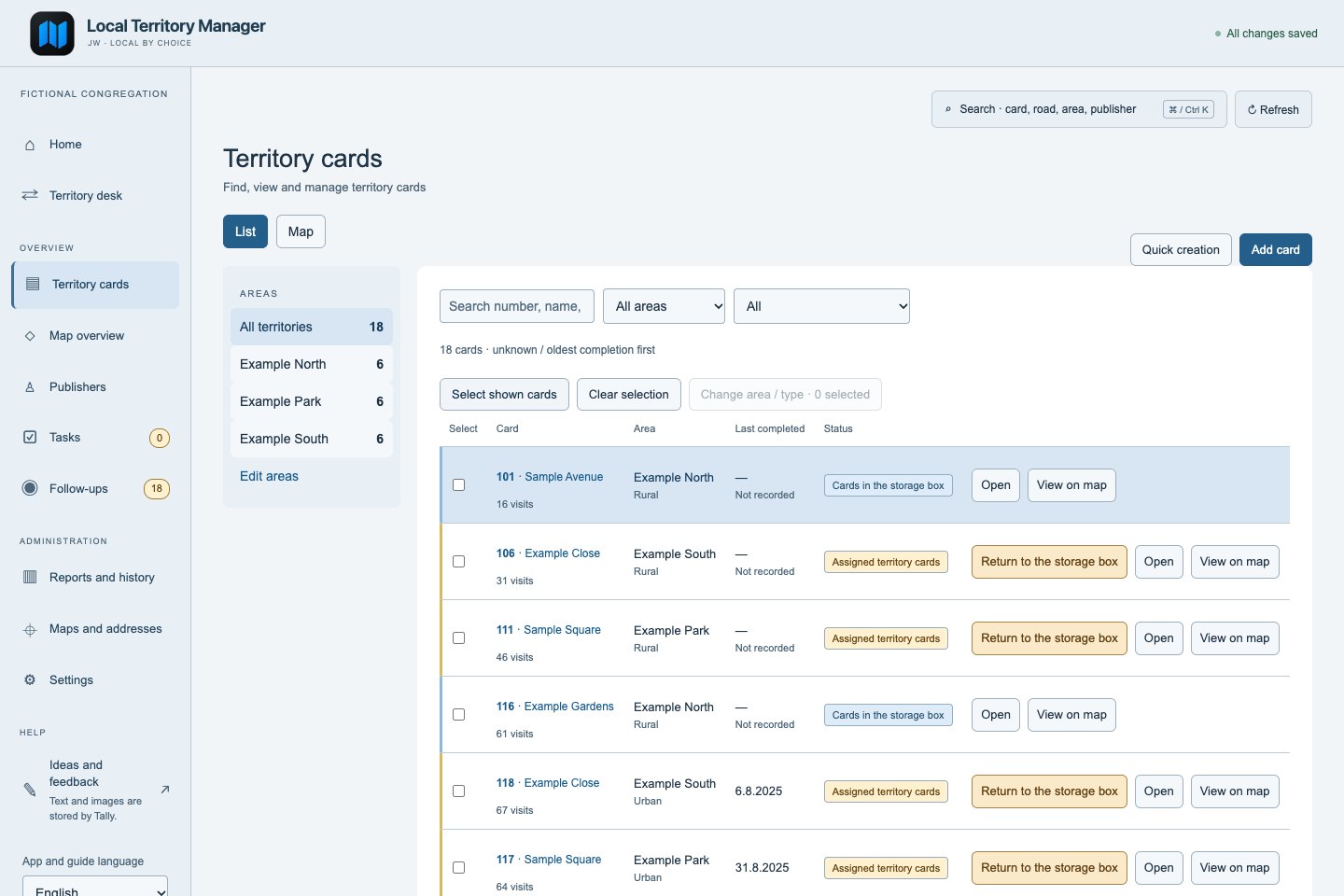
See which cards are in the box, which are assigned and where a recorded completion is missing.
Record an assignment or return, review its history and add a note when needed.
Review cards, make deliberate changes and print the physical material you need.
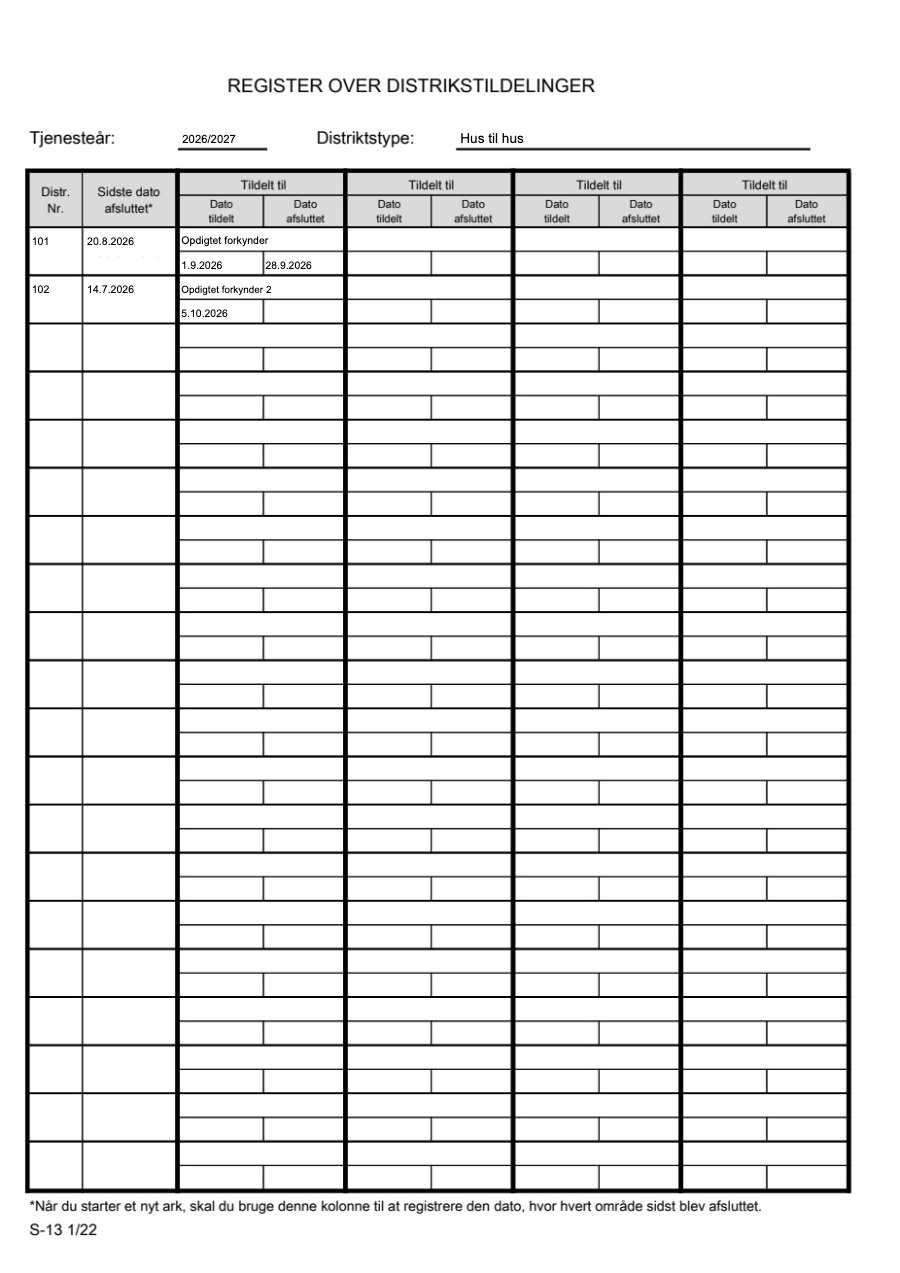
Keep assignments, returns and completions together, then use the same recorded history for the original S-13 and useful territory reports.
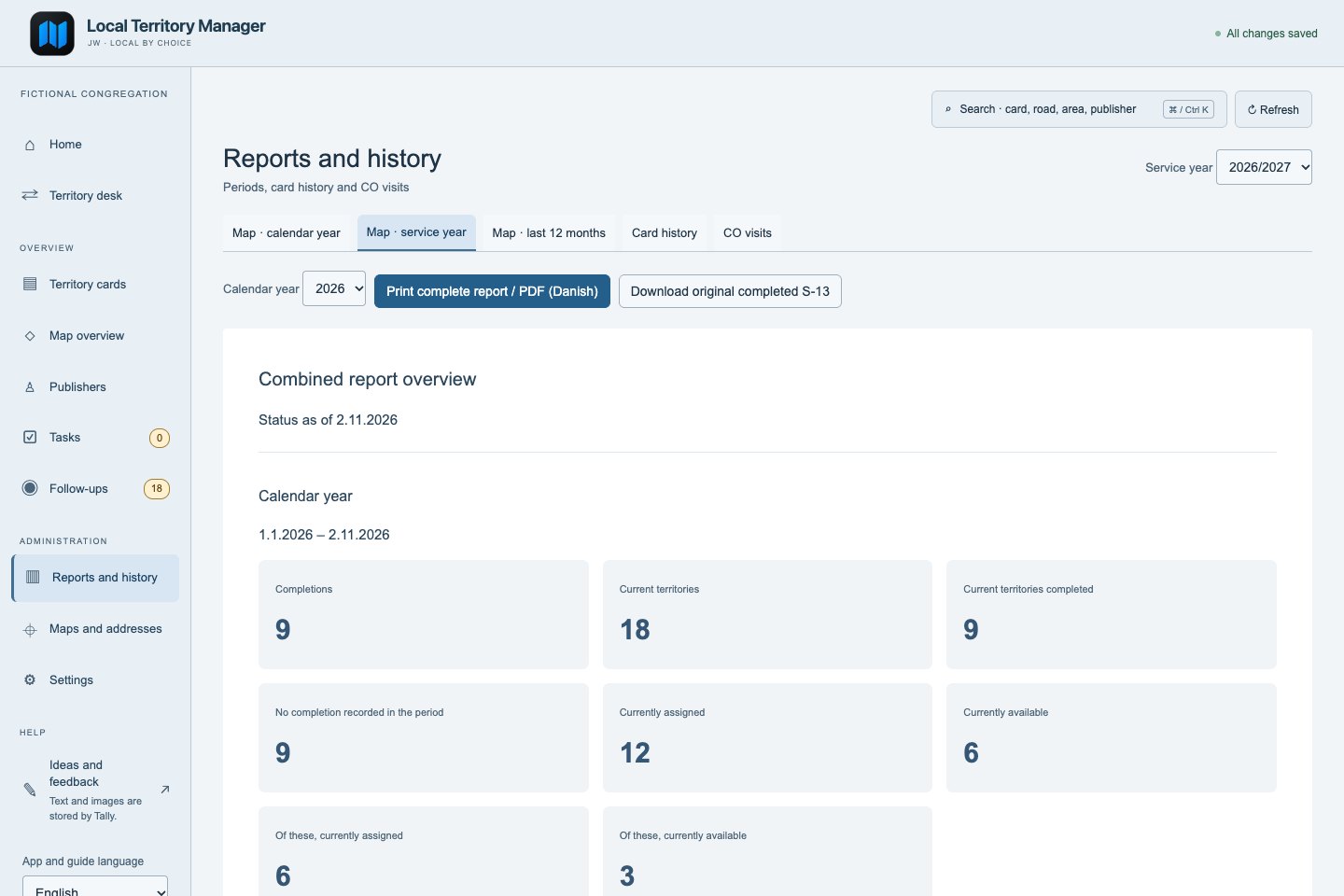
Compare calendar year, service year and the last 12 months. See recorded completions, current territory totals and cards without a recorded completion in the period.
Prepare a PDF with the overview and territory map views for the selected periods. The report is separate from the familiar home dashboard.
Download the completed original S-13 from the recorded assignment history. Original printed forms remain Danish; an English replacement is not presented as finished.
Connected tools for territory administration, without moving your congregation records into a mandatory cloud service.
Organise card numbers, areas, street lists and physical card status.
Keep track of who has a card and its recorded assignment and completion history.
Draw boundaries, review geographic data and build a useful territory overview.
Use recorded history for the original S-13, compare three report periods, print territory material and optionally approve a public QR card image.
Bring in supported existing records, review imports and keep private backups on your system.
Use individually controlled access in the profile-enabled releases. Your administrator chooses the permissions.
LTM is actively developed. Stable and beta releases are separate; check the release notes for the features and limitations in your download. Preview images may show newer features.
The installed app stores its territory records on the system you choose. There is no required LTM cloud account, subscription or application analytics.
Core administration can work without an internet connection. Map tiles, address services and optional Google Drive sharing use external services. An approved online card image can be public to anyone with its link while access is open. Private IB records do not belong in that image.
Read the privacy detailsOpen the interactive browser demo and explore with fictional records. There is no account to create and nothing to install. The demo is separate from the installed app and its server security.
Launch interactive demoDemo edits stay in that browser. Use the demo for exploration, not real congregation data.
Use stable for day-to-day work. Choose beta for deliberate testing alongside your normal installation, with separate test data.
Get the latest stable package and follow the installation guide for your system.
Explore the current prereleases. Beta is installed separately and may have unfinished features or changed behaviour.
The portable application currently requires Python. Follow the startup guide for local use or a private server. Native EXE/DMG installers are not supplied.
Computer setup guideAdd the stable repository to your add-on store. The beta channel is separate; it uses its own port and data directory.
Home Assistant setuphttps://github.com/Bib007/LTM-Local-Territory-ManagerRelease links work even when the version lookup is unavailable.
Straight answers about setup, privacy and the current limits. For the full details, use the project documentation.
DocumentationYes. LTM is a free, open-source application. No LTM subscription or paid cloud account is required. You provide the device that runs it.
No. Home Assistant is one installation option. You can also run LTM on a compatible computer with Python, locally or as a private server.
Core records and administration are local. Downloading map or address data, showing online map tiles and optional Google Drive sharing require internet access.
In the data directory of your installed LTM system. Take and store your own backups. The public website and fictional browser demo do not receive your installed database.
LTM supports several local import workflows, including supported spreadsheet/CSV formats and S-13 history. Supported columns and workflows depend on the release; use the preview and check the relevant guide before confirming.
Manual territory records and core administration are useful without Danish address data. The automatic address integrations currently focus on Danish sources. Review the limitations before relying on automatic geography elsewhere.
English is becoming the primary interface and documentation language, with Danish available. Translation is still partial; some screens, errors and original printed forms remain Danish. This website is available in English and Danish.
No. LTM is an independent, unofficial open-source project. It is not developed, published or endorsed by Jehovah’s Witnesses or their organisation.
Use the English or Danish feedback form linked below. Describe what you did and what happened, with invented examples. You can add an optional reply email or a screenshot with fictional data. Never send private records or credentials.
Use the English or Danish form to report a problem or share an idea. You can include an optional reply address or a screenshot with invented data.